Quickstart
Your first agent task in six steps.
1. Launch Craig
craigThe boot overlay plays, then Craig's workspace opens.
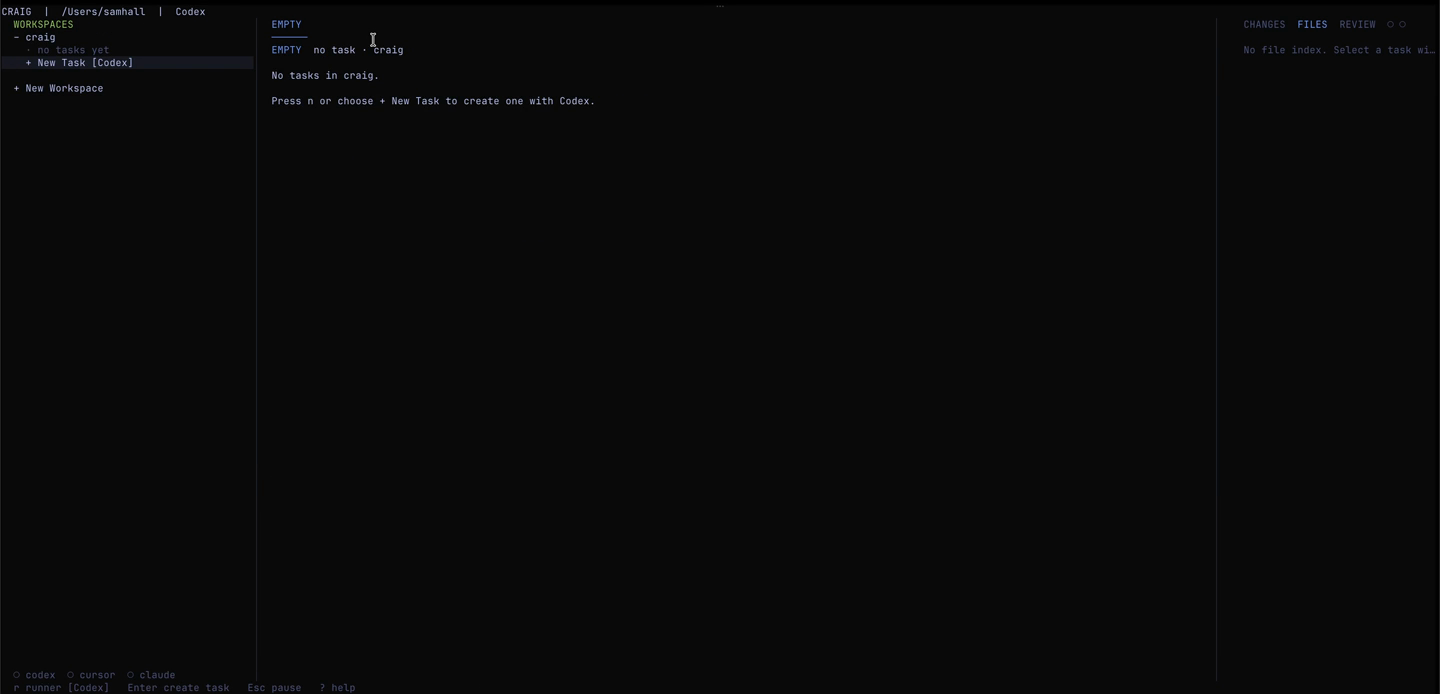
2. Add a repo (first time only)
Select + New Workspace from the left panel, or run:
craig workspace add /path/to/your/repoYou can add one Git repository or a parent directory whose direct children are Git repositories.
3. Create a task
Press n from the TUI, type a short task description, and press Enter. Craig creates a task record, branch, Git worktree, and agent tab, then opens the new agent session.
The task text is stored as metadata on the task record — Craig doesn't paste it into the agent. Once the PTY opens, tell the runner what you want it to do.
4. Work with the agent
The new task opens directly in its live agent PTY. Type your instructions there, then press Ctrl+] to return to Craig control mode. To reattach later, select the task or agent tab and press Enter.
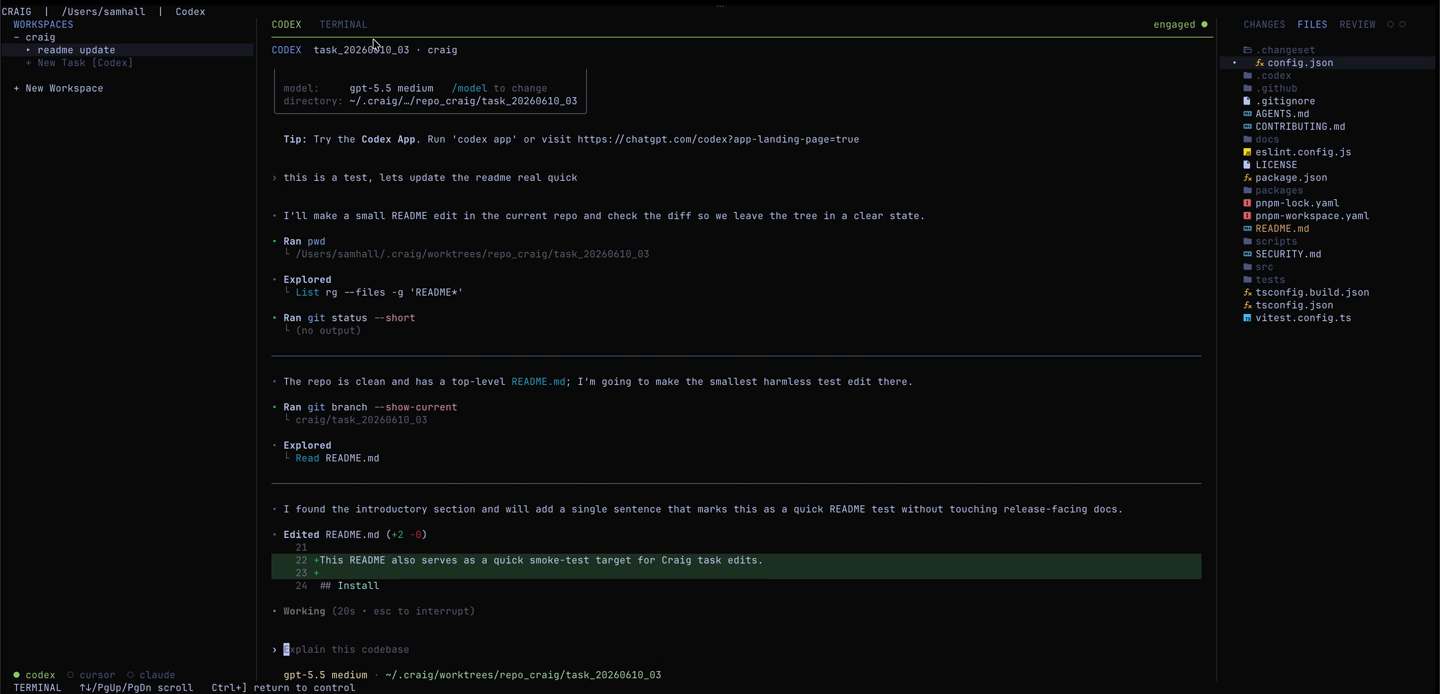
5. Review the work
Use the Files and Review panels to inspect files, diffs, and PR status. Review is read-only — when you're ready to commit, push, or merge, do it in the agent PTY.
The CLI has lower-level commands too: craig task check <task-id> and
craig task commit <task-id> if you need them for scripting.
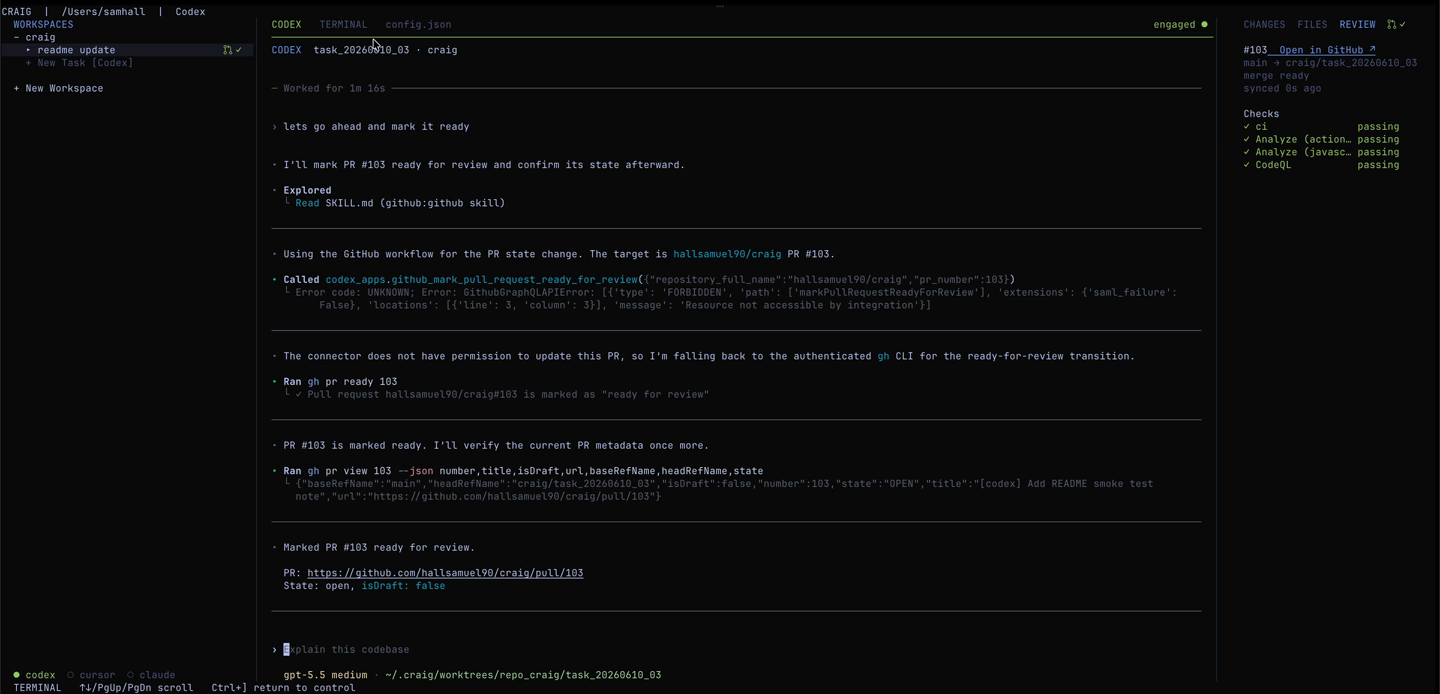
6. Publish and merge a PR
With gh authenticated, ask the agent in its PTY to commit, push, and open a PR.
Follow checks and review state in Craig's Review panel, then ask the agent to merge
after all required checks and reviews pass.
Next: TUI Reference →